
The Supernote Digest as a Commonplace Book or Zettelkasten

I recently started using a Supernote Nomad for writing notes, journaling, and light task management. I wrote about my thoughts on the hardware recently, and in this post, I wanted to think about the Digest feature. After all, this feature is one of the main reasons I went with the Supernote.
For the longest time, I’ve enjoyed writing on paper, but it never stuck. I enjoyed the process of writing, but then finding my notes is where everything fell apart. I tried all kinds of systems, but I always found myself going back to digital, which is simply easier.
What I envision is the ability to handwrite notes, ideas, and events that occur, but then easily be able to reference them again. So, I’ll break this out into two parts: 1: Writing and 2: Referencing.
1: Writing
The handwriting part is essential to me because it helps me disconnect. When I’m writing by hand, I feel like I can get my thoughts out more easily. I’m not concerned about grammar, formatting, etc. I write. It also helps me understand what I’m writing.
When I’m taking notes while I read a book or article, I want to be able to write down what I’m reading and somehow capture those ideas so I can expand upon them later and use them elsewhere. When using paper, I would write an index of sorts that included a summary of an idea, and then, often on another page, I would write my thoughts about it.
2: Referencing
Once I have a collection of handwritten notes about various topics, I need to be able to get to them again easily. This is where paper always falls short for me. No matter how hard I try, I would never go back to my writing and do more with it. I find paper notebooks are difficult in this aspect. Not impossible, I know others pull it off, but for me, it’s the least enjoyable part of the process; perhaps that’s why it never sticks for me.
What is the Supernote Digest?
The Supernote Digest has the potential to help me in my dilemma. The way it works is quite different from what I’ve seen on any other e-ink tablet.
You lasso the text you want to capture and click “Recognize as Digest.” You’ll be able to make changes, set a category, and author.
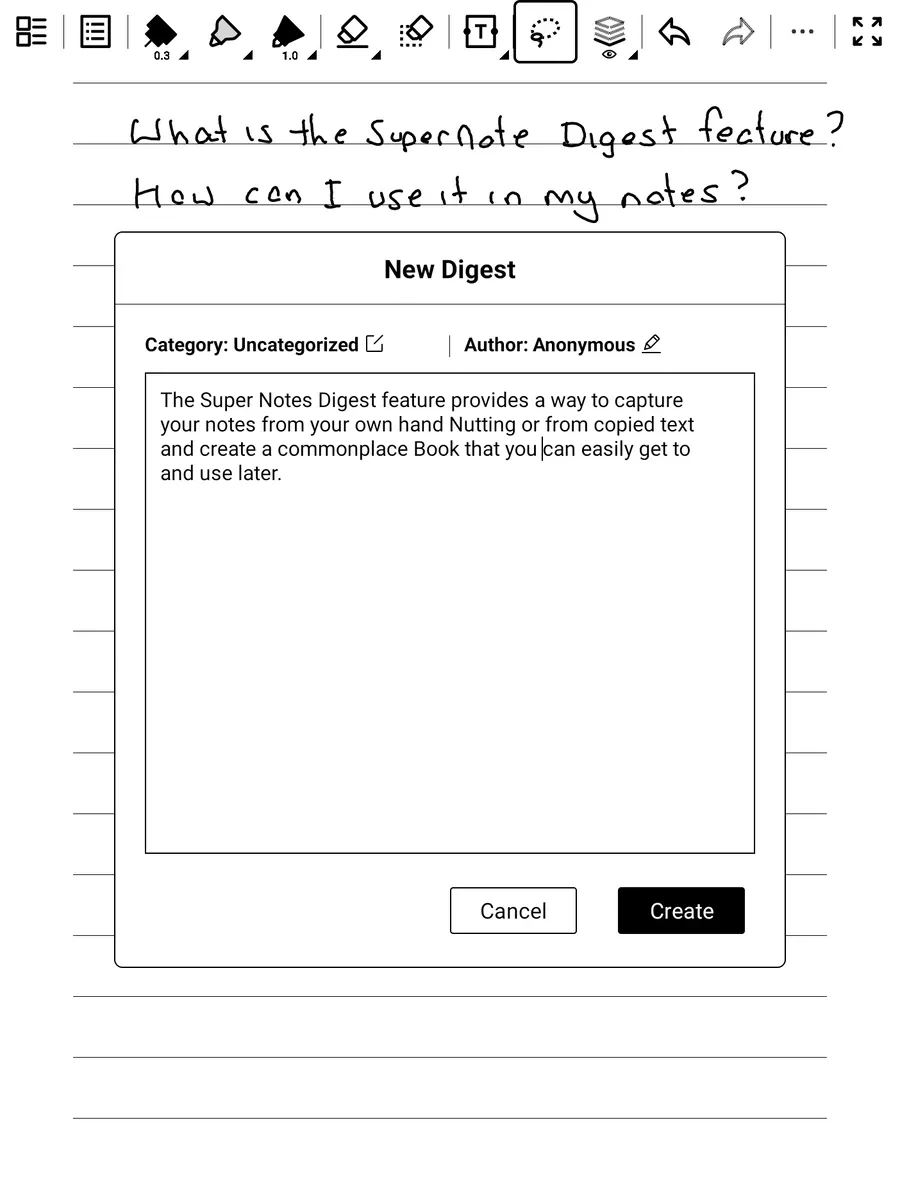
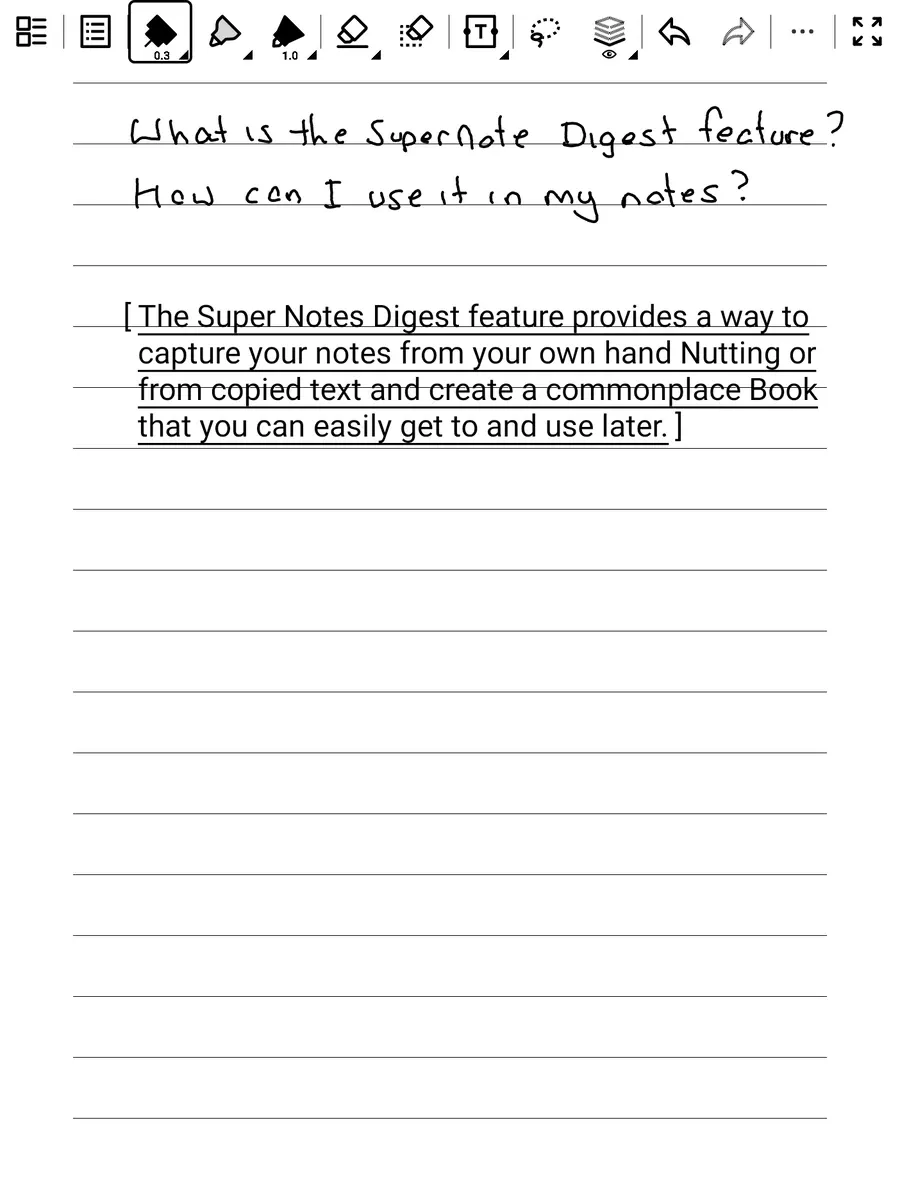
The handwritten notes you copied are now displayed as text. Clicking on them opens the Digest.
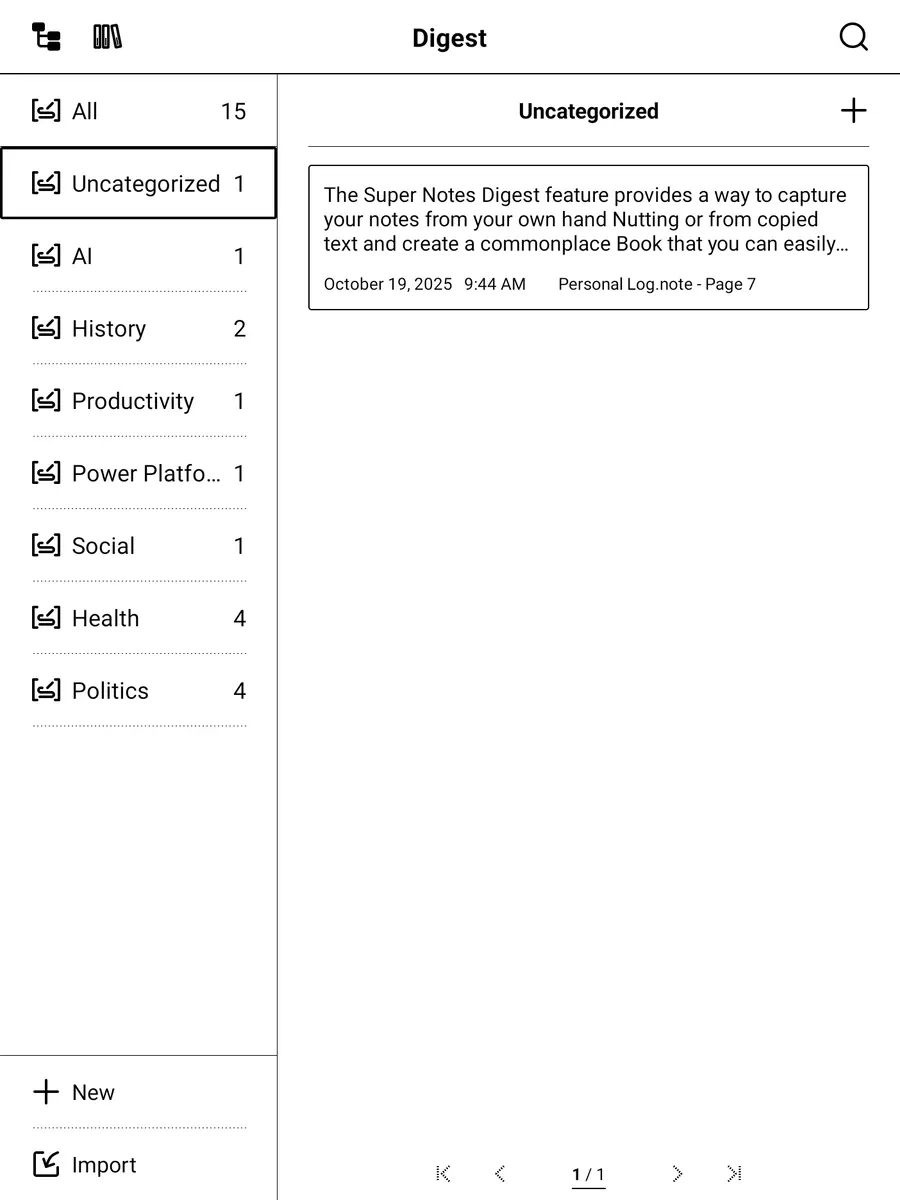
You can now see this note in your Digests app, both on the device and in the desktop or mobile companion app.
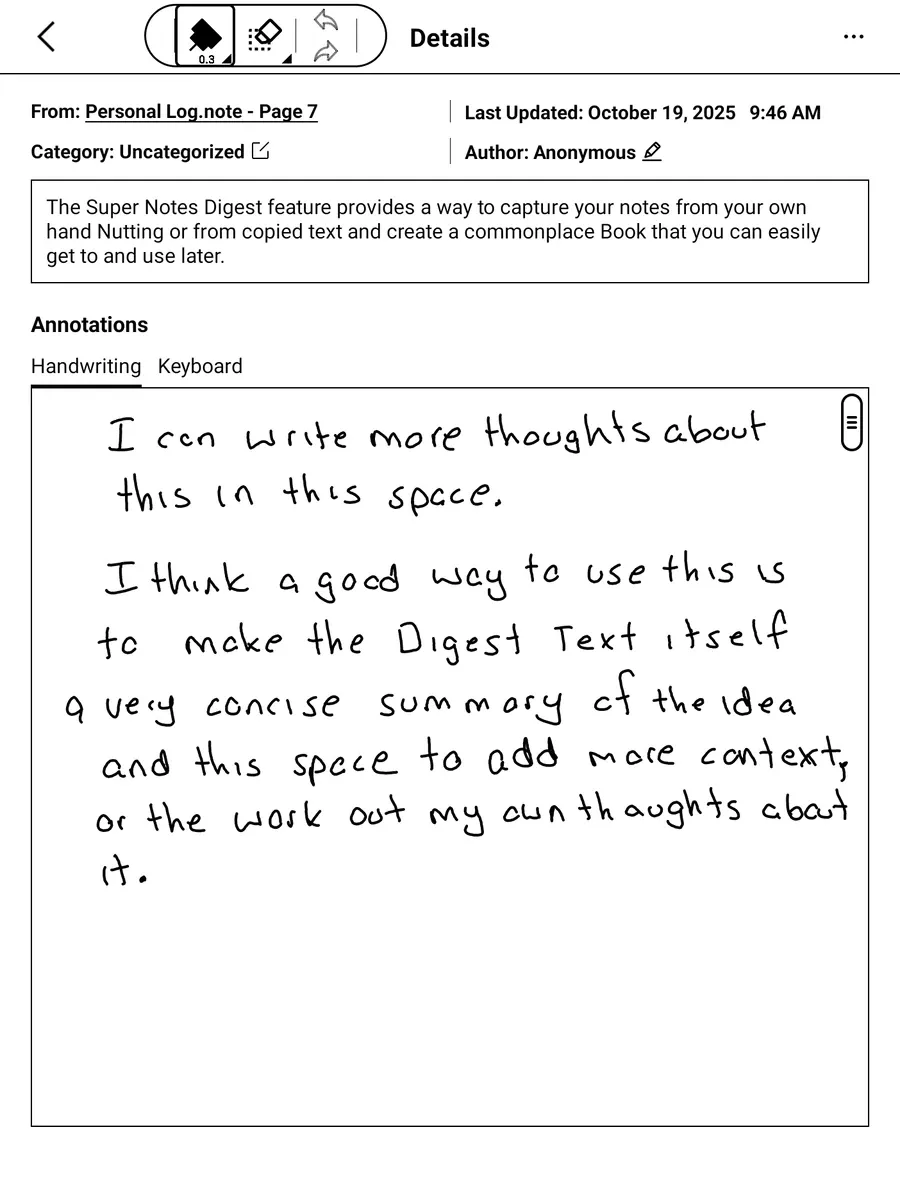
Now, when you open the Digest, you can make edits and also see the link to the original note, which is convenient. Additionally, you can now create your own annotations using either handwriting or the keyboard, from the device, desktop, or mobile app.
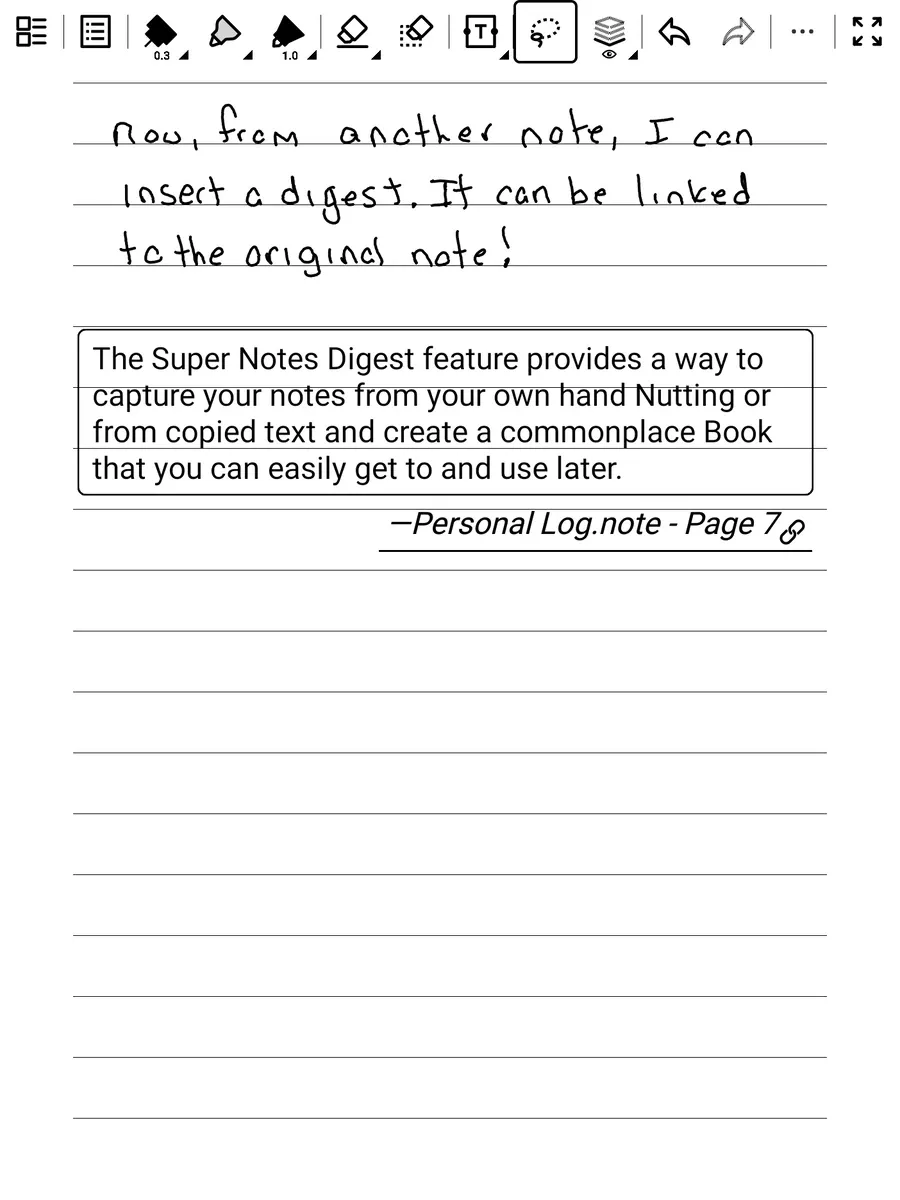
Finally, the digest can be included in other notes. You have the option to link to the original note, and when you click the link, it directs you to the specific location in the original note.
While there are certainly some limitations and room for improvement, the Digest feature, at least on paper (ha, ha), solves one of the big problems I’ve had with paper notebooks and also other e-ink tablets of this type. I can now create a commonplace book, or perhaps even a Zettelkasten of sorts, from my handwritten notes.
The digest text itself can be updated to be a concise, refined summary of the idea, while the annotations can be where I expand upon it with context and my thoughts. I can search and even edit this content from any device, and even link to it from other notes. This is exciting for someone who geeks out on this stuff!